
12 seconds.
That’s how long you have to convince your audience your email is worth opening.
Between promo codes, meeting invites, and personal updates, our inboxes are completely overwhelmed.
As our collective attention spans shrink (thank you, social media), we simply don’t have the time or energy to open every email.
So how do you get people to actually click?
The secret is in your subject line and preview text.
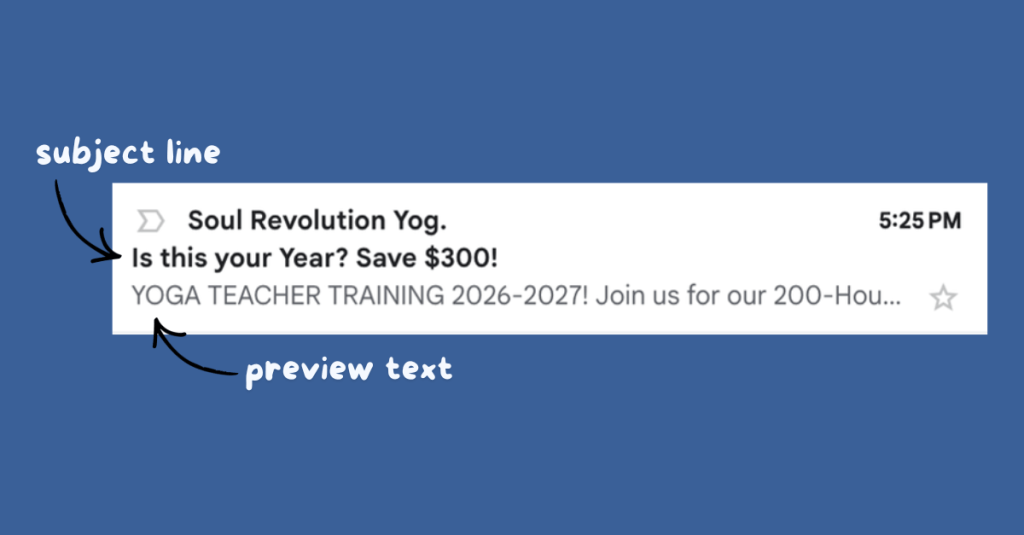
Think of your inbox preview like a headline and subheadline in a magazine.
The subject line is the bold header that grabs your reader’s eye, and the preview text is the snippet right underneath that offers more and seals the deal.
And when used together, they form an attention-grabbing system that boosts your open rate.
How to Increase Open Rates with Subject Lines and Preview Text
The best subject lines create a curiosity gap: they promise value without revealing the answer. They feel personal, urgent, or surprising.
In contrast, the best preview text builds on the subject line and demonstrates that the reader will gain something from opening.
(P.S. Please don’t let your preview text default to “View this email in your browser.” It hurts my soul, and it’s wasted real estate).
Here’s an example:
| Boring (sorry, somebody had to say it) | Optimized (50%+ open rate incoming) |
|---|---|
| Newsletter #47 | The one metric that predicted my $10K month |
| View this email in your browser. Hey friend… | Plus the free tracker I built to monitor it weekly |
See the difference?
One could be your diary entry. The other is a high-value hook.
Subject Line + Preview Text Formulas
To make this effortless during your next newsletter build, try these three proven frameworks:
1. Objection
Subject Line: The exact system I used to save 5 hours a week
Preview Text: (And no, it doesn’t involve waking up at 5:00 AM or giving up your coffee.)
The subject line here promises a tangible benefit (time efficiency), while the preview text immediately counters your reader’s gut objections before they even click.
2. Curiosity Gap
Subject Line: The one grammar mistake slashing your credibility
Preview Text: It’s only two words, but you’re probably using it at the end of meetings.
This combo triggers a strong urge to self-correct without giving away the answer in the inbox. Your reader wants to know the answer, and they’ll read the email to get it.
Value + Asset
Subject Line: Stop outsourcing your brain to AI
Preview Text: Use this 5-step checklist to clean up your writing before hitting send.
Here the subject line hits on a clear frustration or pain point for your audience. Then your preview text offers a tool to fix it.
Before You Hit Send
Your email content might be brilliant, but if your inbox snippet doesn’t entice the reader, it will stay unread.
So before you hit send on your next draft, read your subject line and preview text out loud. If they sound like a natural, compelling combo that makes you want to click, you’re ready to hit send.
Future you will thank you.
Leave a Reply